
Jetson TX2中实现CAN通讯Python编程
1. Jetson TX2开机自动挂载CAN模块(1)在/etc/init.d/目录下创建can_load.sh脚本文件,内容如下:#!/bin/sh#命令modprobe canmodprobe can-rawmodprobe can-bcmmodprobe can-gwmodprobe can_devmodprobe mttcanexit 0(2)修改文件的权限:sudo chmod 755
·
1. Jetson TX2开机自动挂载CAN模块
(1)在/etc/init.d/目录下创建can_load.sh脚本文件,内容如下:
#!/bin/sh

#命令
modprobe can
modprobe can-raw
modprobe can-bcm
modprobe can-gw
modprobe can_dev
modprobe mttcan

exit 0
(2)修改文件的权限:sudo chmod 755 can_load.sh;
(3)sudo update-rc.d can_load.sh defaults 80
(4)重启
2. 查看是否挂载成功
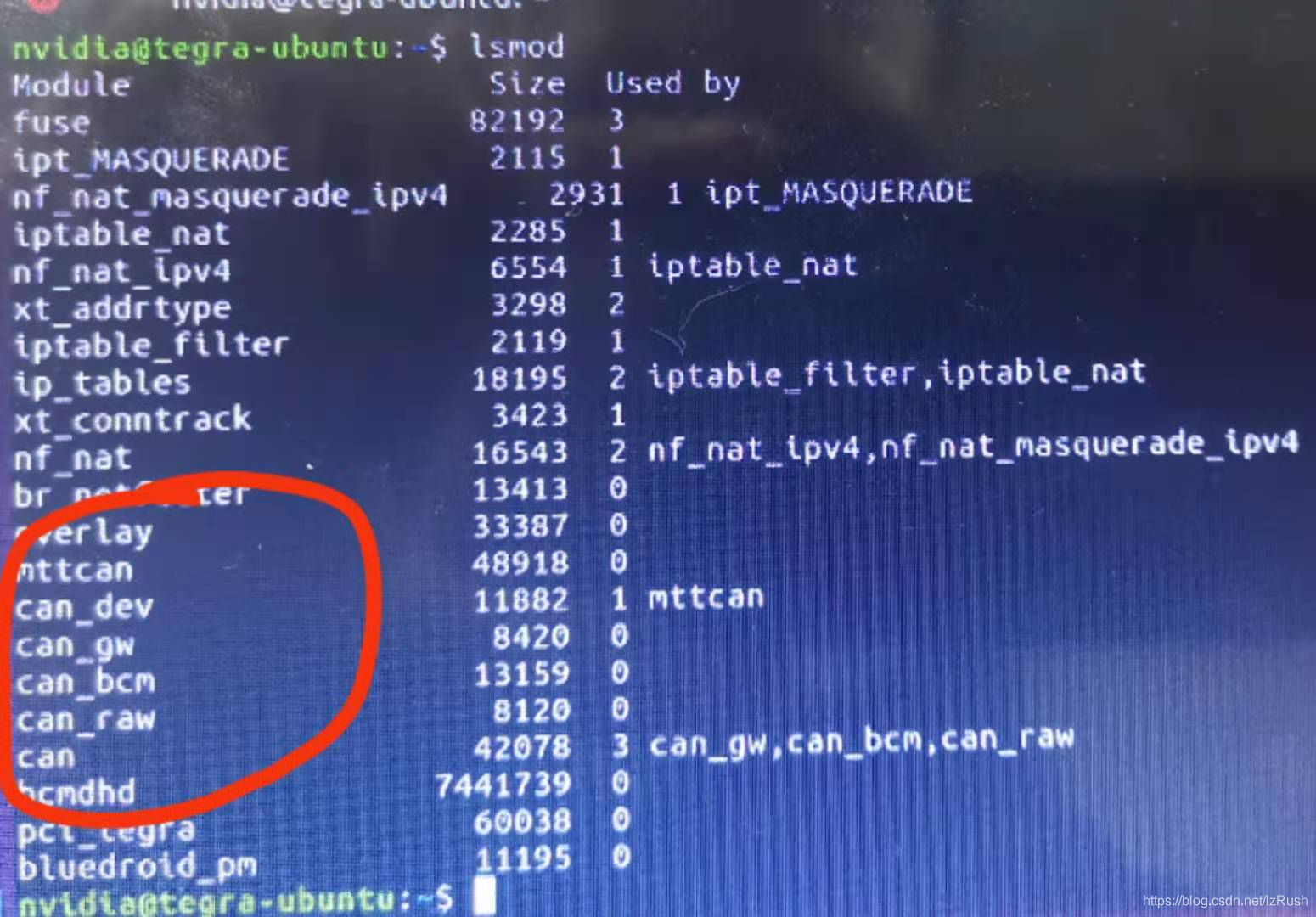
终端下输入lsmod,若出现下图红圈中的模块,则表示挂载成功
3. 查看是否有can口
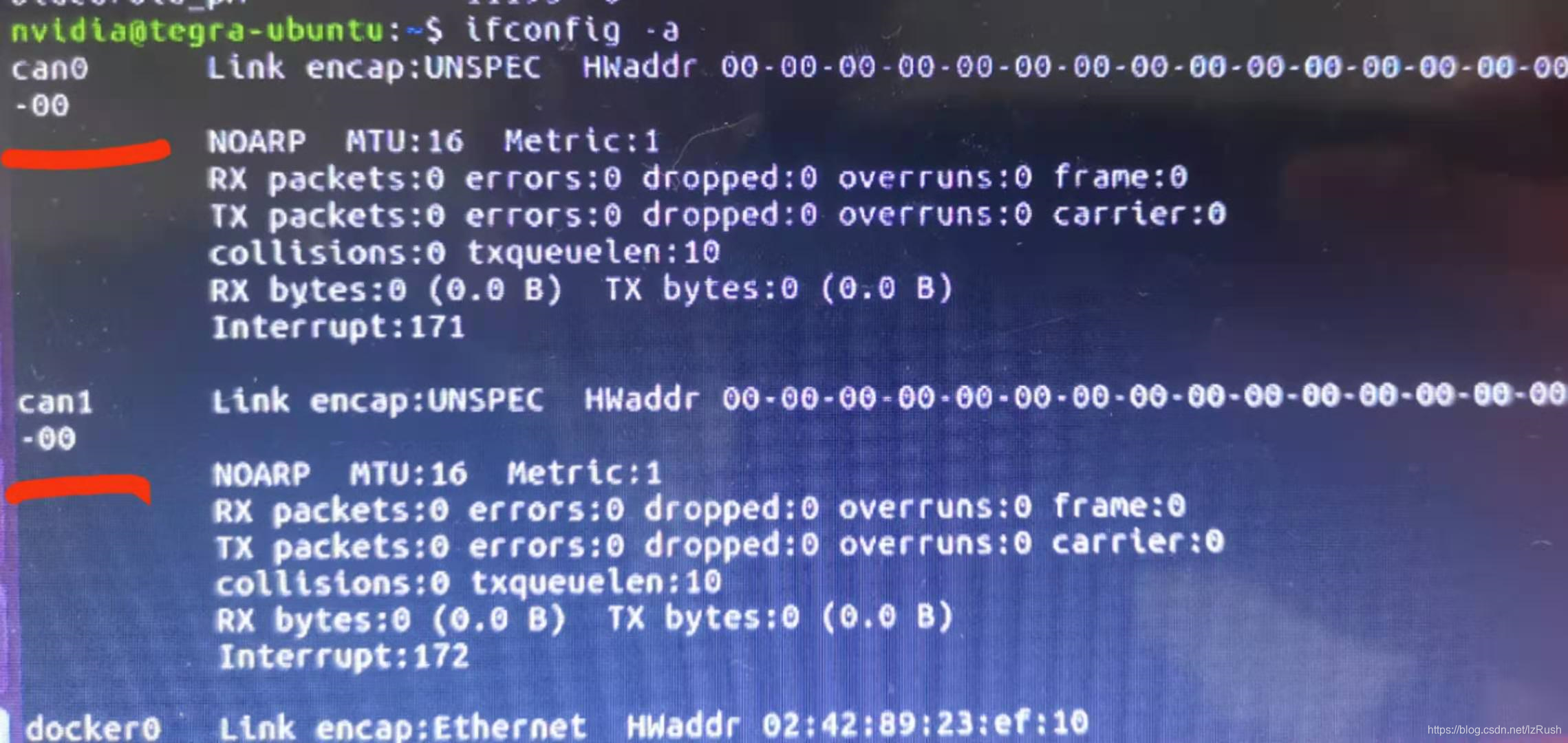
因为linux中,can总线是作为socket呈现的,所以终端下输入:ifconfig -a
若出现下图的can0和can1,则表示可以使用can总线了
4. 安装python-can
pip install python-can5. 简单发送/接收can报文
# import the library
import can

# create a bus instance
# many other interfaces are supported as well (see below)
bus = can.Bus(interface='socketcan',
              channel='can0',
              receive_own_messages=True)

# send a message
message = can.Message(arbitration_id=123, is_extended_id=True,
                      data=[0x11, 0x22, 0x33])
bus.send(message, timeout=0.2)

# iterate over received messages
for msg in bus:
    print("{X}: {}".format(msg.arbitration_id, msg.data))

# or use an asynchronous notifier
notifier = can.Notifier(bus, [can.Logger("recorded.log"), can.Printer()])
GitCode 天启AI是一款由 GitCode 团队打造的智能助手,基于先进的LLM(大语言模型)与多智能体 Agent 技术构建,致力于为用户提供高效、智能、多模态的创作与开发支持。它不仅支持自然语言对话,还具备处理文件、生成 PPT、撰写分析报告、开发 Web 应用等多项能力,真正做到“一句话,让 Al帮你完成复杂任务”。
更多推荐


 2
2 0
0- 0


 已为社区贡献1条内容

所有评论(0)