
[量化投资-学习笔记003]Python+TDengine从零开始搭建量化分析平台-Grafana画K线图
Grafana 非常人性的提供离 K线图模块, 搭配TDengine 配置简单一键生成。
·
在前面两个笔记:
Python+TDengine从零开始搭建量化分析平台-数据存储
Python+TDengine从零开始搭建量化分析平台-MA均线的多种实现方式
中有提到使用 Grafana 画图,不过画的都是均线。除了均线,Grafana 非常人性的提供了 K线图模块 搭配 TDengine 配置简单一键生成。
1.新建一个Panel,选择 Candlestick
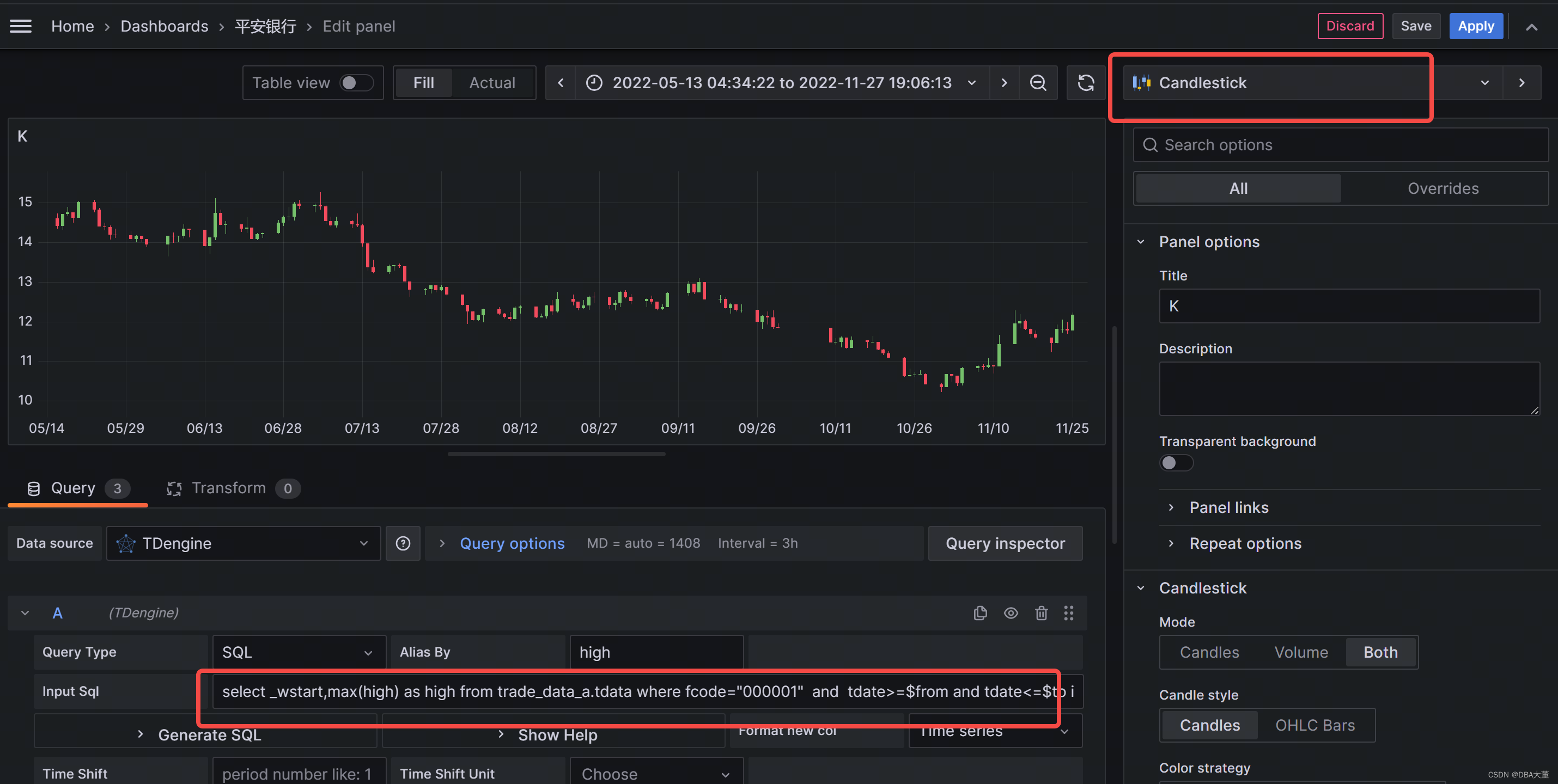
2.数据源选择 TDengine,填入数据
最高价
select _wstart,max(high) as high from trade_data_a.tdata where fcode="000001" and tdate>=$from and tdate<=$to interval(1d)
最低价
select _wstart,min(low) as low from trade_data_a.tdata where fcode="000001" and tdate>=$from and tdate<=$to interval(1d)
收盘价
select _wstart,last(close) as close from trade_data_a.tdata where fcode="000001" and tdate>=$from and tdate<=$to interval(1d)
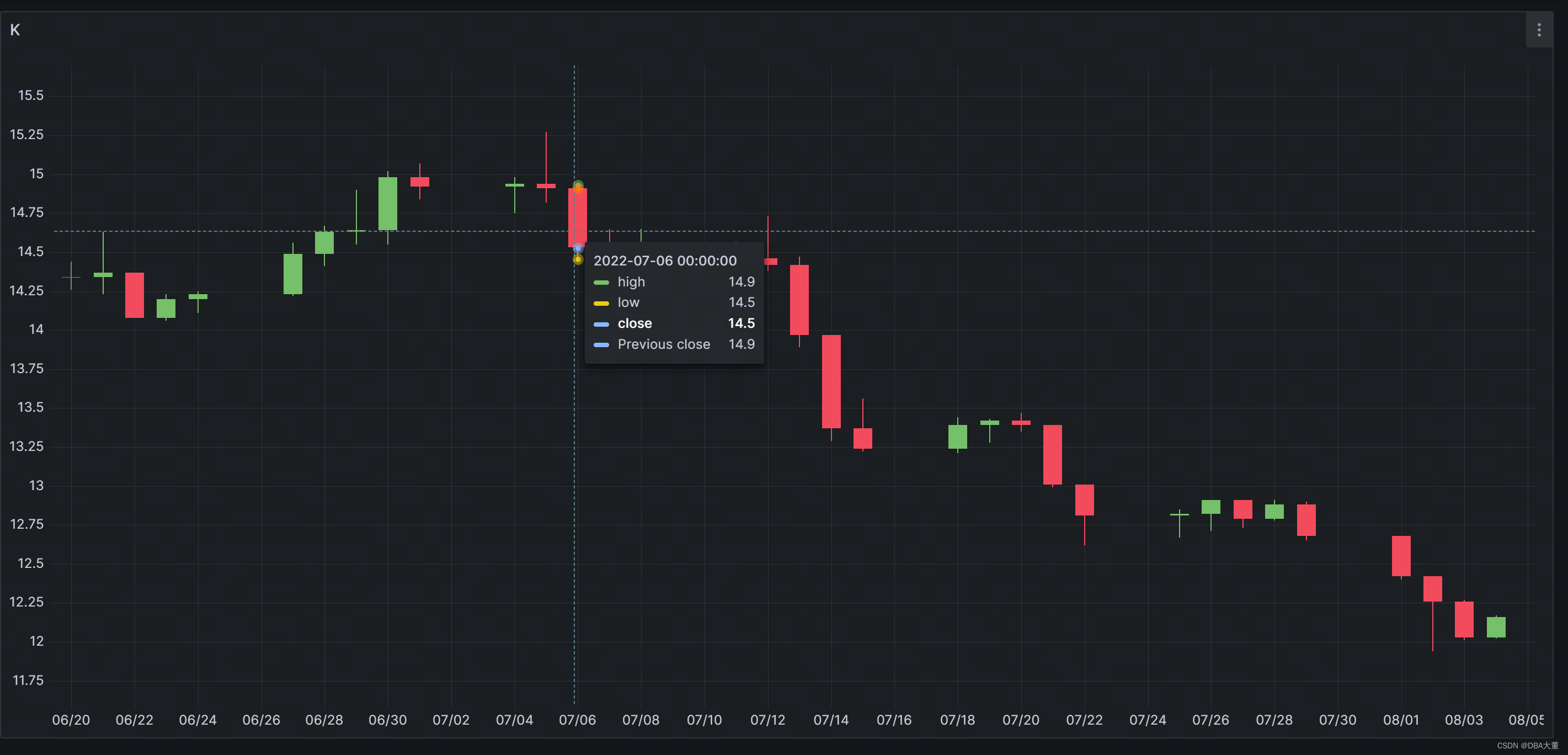
Grafana 会使用上一日收盘价作为当日开盘价。
3.点击 Apply
K线图就画好了。

GitCode 天启AI是一款由 GitCode 团队打造的智能助手,基于先进的LLM(大语言模型)与多智能体 Agent 技术构建,致力于为用户提供高效、智能、多模态的创作与开发支持。它不仅支持自然语言对话,还具备处理文件、生成 PPT、撰写分析报告、开发 Web 应用等多项能力,真正做到“一句话,让 Al帮你完成复杂任务”。
更多推荐

 0
0 0
0- 0


 已为社区贡献5条内容

所有评论(0)