
Windows11 ChatGPT failed to start. ChatGPT 无法启动。 无法找到Codex CLI 可执行文件。 解决方法:
·
Unable to locate the Codex CLI binary. Set CODEX_CLI_PATH or ensure the Electron resources include bin/codex.
解决方法:
1. 查看codex安装位置 C:\Users\你的用户名\.codex\packages\standalone\current\bin
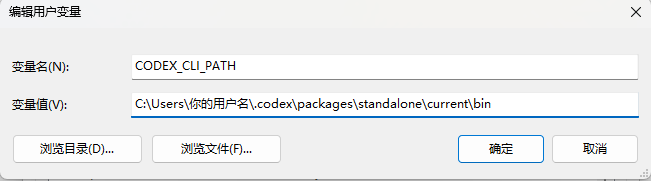
2. 添加环境变量
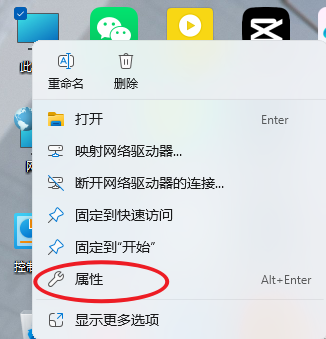
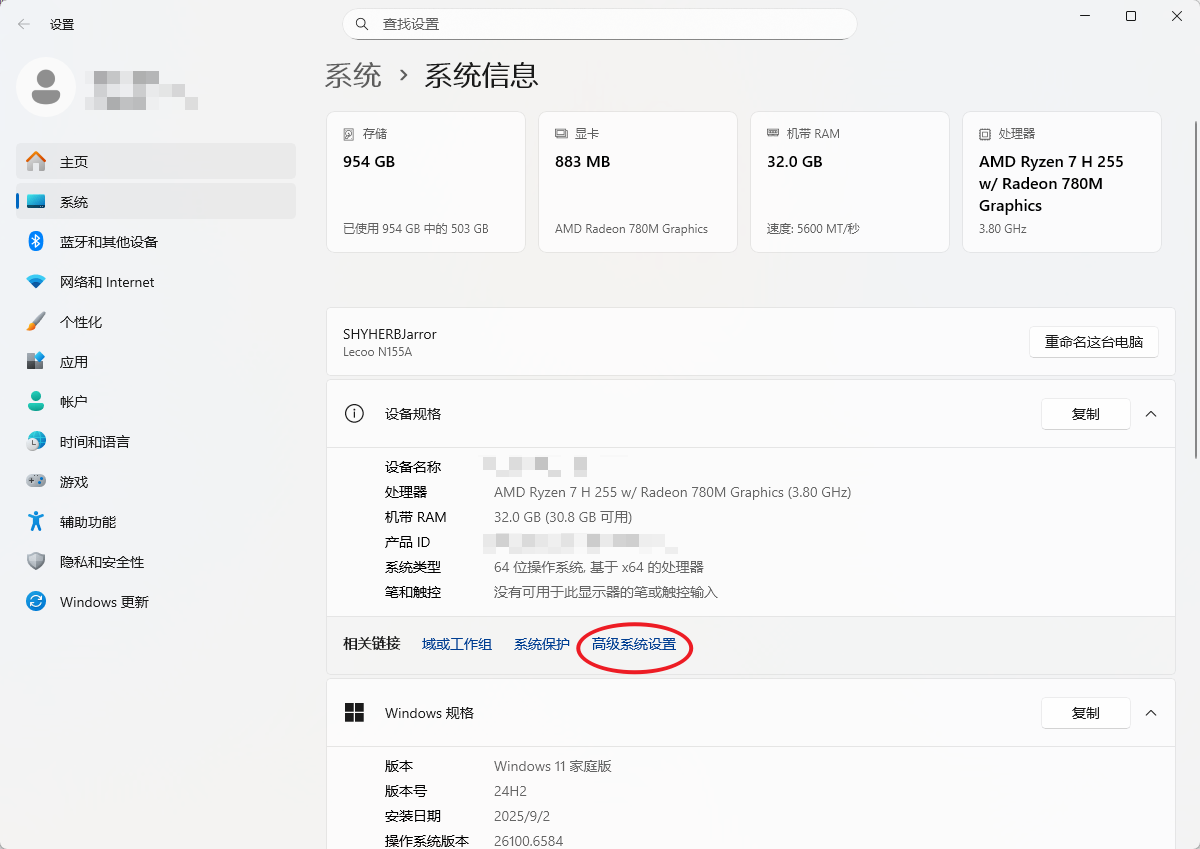
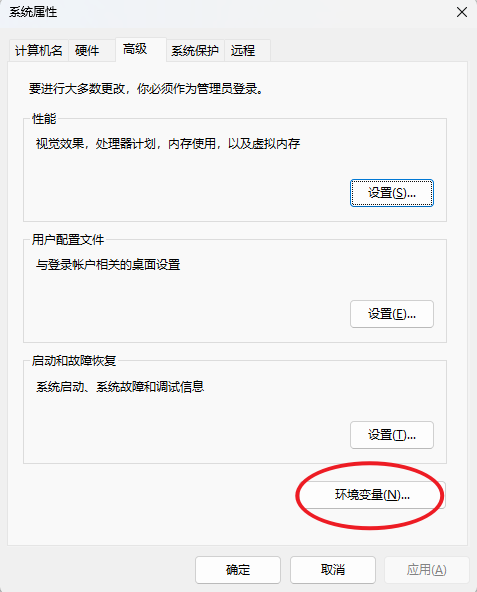
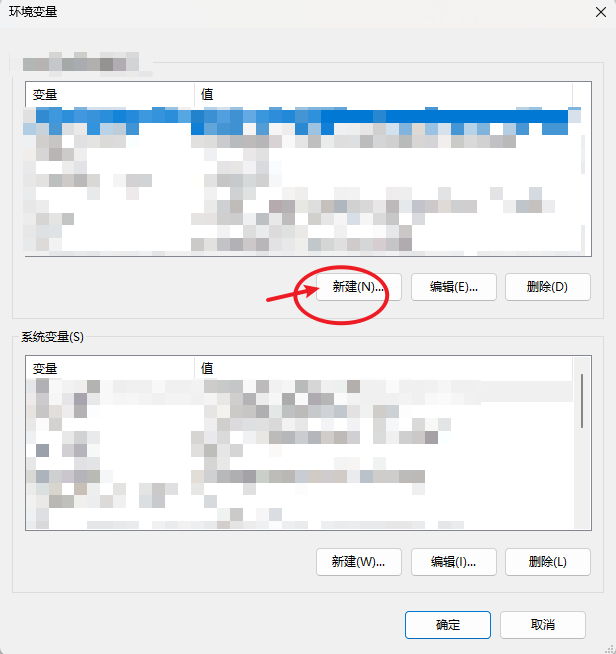
右键此电脑->属性->高级系统->环境变量->新建环境变量->添加 CODEX_CLI_PATH = C:\Users\你的用户名\.codex\packages\standalone\current\bin

AtomGit AI 社区提供模型库、数据集、Agent、Token等资源
更多推荐



 1
1 0
0- 0


 已为社区贡献1条内容

所有评论(0)