
HarmonyOS NEXT AI 智能生活助手:Markdown 渲染与代码高亮
·
HarmonyOS NEXT AI 智能生活助手:Markdown 渲染与代码高亮
前言
在 上一篇文章中,我们实现了 ChatGPT 风格的聊天界面。然而,AI 的回复通常包含 Markdown 格式的内容——标题、列表、表格、代码块等。如果直接渲染纯文本,体验会大打折扣。
Markdown 渲染 是 AI 聊天应用的核心体验之一。一个优秀的 Markdown 渲染器需要支持:标题层级、有序/无序列表、代码块高亮、表格、引用块、链接、图片、加粗/斜体等。
本文将实现一个完整的 Markdown 渲染组件,支持:
- Markdown 解析:将 Markdown 文本解析为 AST(抽象语法树)
- 代码高亮:支持多种编程语言的关键字高亮
- 表格渲染:带边框的表格组件
- 链接点击:可点击的外部链接
- 复制功能:代码块一键复制
- 性能优化:增量渲染、虚拟列表
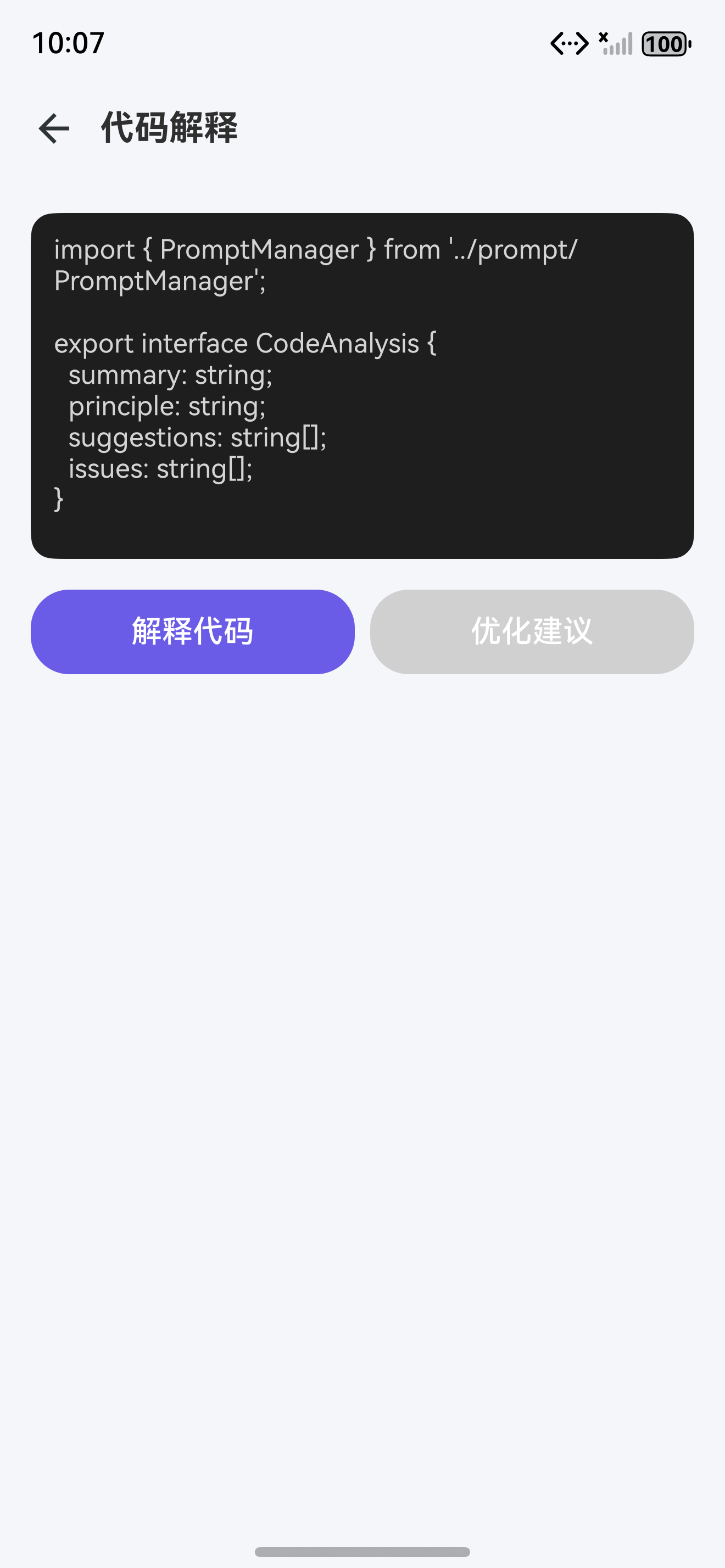
一、Markdown 渲染架构
1.1 整体设计
Markdown 文本
    ↓
MarkdownUtil.parse(text)
    ↓
Markdown AST (MarkdownNode[])
    ↓
MarkdownView 组件
    ↓
递归渲染每个节点
    ↓
Text / Column / Row / CodeBlock 等原生组件
1.2 AST 节点类型
// utils/MarkdownUtil.ts
export enum MarkdownNodeType {
DOCUMENT = 'document',
HEADING = 'heading', // # ~ ######
PARAGRAPH = 'paragraph', // 普通段落
TEXT = 'text', // 行内文本
BOLD = 'bold', // **加粗**
ITALIC = 'italic', // *斜体*
CODE_INLINE = 'code_inline', // `行内代码`
CODE_BLOCK = 'code_block', // ```代码块```
LINK = 'link', // [文字](url)
IMAGE = 'image', // 
LIST_ORDERED = 'list_ordered', // 有序列表
LIST_UNORDERED = 'list_unordered', // 无序列表
LIST_ITEM = 'list_item',
BLOCKQUOTE = 'blockquote', // > 引用
TABLE = 'table', // | 表格 |
TABLE_ROW = 'table_row',
TABLE_CELL = 'table_cell',
HORIZONTAL_RULE = 'hr', // ---
BREAK = 'break' // 换行
}
export interface MarkdownNode {
type: MarkdownNodeType;
children?: MarkdownNode[];
value?: string; // 文本值
level?: number; // 标题层级 1-6
url?: string; // 链接/图片 URL
alt?: string; // 图片 alt 文字
language?: string; // 代码块语言
ordered?: boolean; // 是否有序列表
cells?: string[][]; // 表格单元格
start?: number; // 有序列表起始序号
}
1.3 节点类型与渲染组件映射
| 节点类型 | ArkUI 组件 | 样式特征 |
|---|---|---|
| HEADING | Text | 不同字号 + Bold,H1=28px, H6=14px |
| PARAGRAPH | Row + Text | 15px 常规文本,行高 24 |
| BOLD | Text | FontWeight.Bold |
| CODE_INLINE | Text | 14px, 橘色, 浅黄背景, 圆角 4px |
| CODE_BLOCK | Custom CodeBlock | 深色背景 #282C34, 顶部语言标签栏 |
| LINK | Text + onClick | 蓝色 #0984E3, 下划线, 点击跳转 |
| LIST_UNORDERED | Column + Row | 紫色圆点 + 文本 |
| LIST_ORDERED | Column + Row | 紫色序号 + 文本 |
| BLOCKQUOTE | Column | 左侧 4px 紫线, 浅紫背景 #F0F0FF |
| TABLE | Custom MarkdownTable | 交替行背景, 表头加粗 |
| IMAGE | Image | 100% 宽度, 圆角 8px |
| HORIZONTAL_RULE | Divider | 1px, 灰色 #E0E0E0 |
二、Markdown 解析器
2.1 解析器核心实现
// utils/MarkdownUtil.ts
export class MarkdownUtil {
  // 将 Markdown 文本解析为 AST
  static parse(text: string): MarkdownNode {
    const lines = text.split('\n');
    const root: MarkdownNode = {
      type: MarkdownNodeType.DOCUMENT,
      children: []
    };

    let i = 0;
    while (i < lines.length) {
      const line = lines[i];

      // 标题解析
      if (/^#{1,6}\s/.test(line)) {
        const level = line.match(/^#+/)[0].length;
        const content = line.replace(/^#{1,6}\s*/, '');
        root.children.push({
          type: MarkdownNodeType.HEADING,
          level: level,
          children: this.parseInline(content)
        });
        i++;
        continue;
      }

      // 代码块解析
      if (/^```/.test(line)) {
        const language = line.replace(/^```/, '').trim();
        let code = '';
        i++;
        while (i < lines.length && !/^```/.test(lines[i])) {
          code += lines[i] + '\n';
          i++;
        }
        root.children.push({
          type: MarkdownNodeType.CODE_BLOCK,
          language: language || 'text',
          value: code.trimEnd()
        });
        i++;
        continue;
      }

      // 引用块解析
      if (/^>\s/.test(line)) {
        const quoteLines: string[] = [];
        while (i < lines.length && /^>\s/.test(lines[i])) {
          quoteLines.push(lines[i].replace(/^>\s*/, ''));
          i++;
        }
        root.children.push({
          type: MarkdownNodeType.BLOCKQUOTE,
          children: [{
            type: MarkdownNodeType.PARAGRAPH,
            children: this.parseInline(quoteLines.join('\n'))
          }]
        });
        continue;
      }

      // 无序列表解析
      if (/^[-*+]\s/.test(line)) {
        const items: MarkdownNode[] = [];
        while (i < lines.length && /^[-*+]\s/.test(lines[i])) {
          items.push({
            type: MarkdownNodeType.LIST_ITEM,
            children: this.parseInline(lines[i].replace(/^[-*+]\s*/, ''))
          });
          i++;
        }
        root.children.push({
          type: MarkdownNodeType.LIST_UNORDERED,
          children: items
        });
        continue;
      }

      // 有序列表解析
      if (/^\d+\.\s/.test(line)) {
        const items: MarkdownNode[] = [];
        while (i < lines.length && /^\d+\.\s/.test(lines[i])) {
          items.push({
            type: MarkdownNodeType.LIST_ITEM,
            children: this.parseInline(lines[i].replace(/^\d+\.\s*/, ''))
          });
          i++;
        }
        root.children.push({
          type: MarkdownNodeType.LIST_ORDERED,
          children: items,
          start: 1
        });
        continue;
      }

      // 表格解析
      if (/^\|.+\|$/.test(line) && i + 1 < lines.length && /^\|[-:| ]+\|$/.test(lines[i + 1])) {
        const headerCells = line.split('|').filter(c => c.trim()).map(c => c.trim());
        const rows: string[][] = [];
        i += 2; // 跳过表头分隔行
        while (i < lines.length && /^\|.+\|$/.test(lines[i])) {
          const cells = lines[i].split('|').filter(c => c.trim()).map(c => c.trim());
          rows.push(cells);
          i++;
        }
        root.children.push({
          type: MarkdownNodeType.TABLE,
          cells: [headerCells, ...rows]
        });
        continue;
      }

      // 普通段落
      if (line.trim()) {
        root.children.push({
          type: MarkdownNodeType.PARAGRAPH,
          children: this.parseInline(line)
        });
      }

      i++;
    }

    return root;
  }

  // 解析行内元素(加粗、斜体、行内代码、链接)
  static parseInline(text: string): MarkdownNode[] {
    const nodes: MarkdownNode[] = [];
    // 简化版:实际应使用正则逐个匹配
    // 先按 **加粗** 拆分
    const parts = text.split(/(\*\*[^*]+\*\*)/);
    for (const part of parts) {
      if (part.startsWith('**') && part.endsWith('**')) {
        nodes.push({
          type: MarkdownNodeType.BOLD,
          children: [{
            type: MarkdownNodeType.TEXT,
            value: part.slice(2, -2)
          }]
        });
      } else if (part.startsWith('`') && part.endsWith('`')) {
        nodes.push({
          type: MarkdownNodeType.CODE_INLINE,
          value: part.slice(1, -1)
        });
      } else if (part.startsWith('[') && part.includes('](')) {
        // 链接 [text](url)
        const match = part.match(/\[([^\]]+)\]\(([^)]+)\)/);
        if (match) {
          nodes.push({
            type: MarkdownNodeType.LINK,
            value: match[1],
            url: match[2]
          });
        }
      } else if (part) {
        nodes.push({
          type: MarkdownNodeType.TEXT,
          value: part
        });
      }
    }
    return nodes;
  }
}
解析策略:采用逐行扫描 + 正则匹配的方式,先识别块级元素(标题、代码块、列表),再解析行内元素(加粗、链接)。
三、MarkdownView 组件实现
3.1 主渲染组件
// components/MarkdownView.ets
@Component
struct MarkdownView {
  @Prop content: string;
  @State ast: MarkdownNode | null = null;

  aboutToAppear() {
    this.ast = MarkdownUtil.parse(this.content);
  }

  @Watch('content')
  onContentChange() {
    this.ast = MarkdownUtil.parse(this.content);
  }

  build() {
    Column() {
      if (this.ast) {
        ForEach(this.ast.children!, (node: MarkdownNode) => {
          this.renderNode(node);
        }, (node: MarkdownNode) => node.type + (node.value || ''));
      }
    }
    .width('100%');
  }

  @Builder
  renderNode(node: MarkdownNode) {
    if (node.type === MarkdownNodeType.HEADING) {
      this.renderHeading(node);
    } else if (node.type === MarkdownNodeType.PARAGRAPH) {
      this.renderParagraph(node);
    } else if (node.type === MarkdownNodeType.CODE_BLOCK) {
      CodeBlock({ code: node.value!, language: node.language! });
    } else if (node.type === MarkdownNodeType.BLOCKQUOTE) {
      this.renderBlockquote(node);
    } else if (node.type === MarkdownNodeType.LIST_UNORDERED) {
      this.renderUnorderedList(node);
    } else if (node.type === MarkdownNodeType.LIST_ORDERED) {
      this.renderOrderedList(node);
    } else if (node.type === MarkdownNodeType.TABLE) {
      this.renderTable(node);
    } else if (node.type === MarkdownNodeType.HORIZONTAL_RULE) {
      Divider().height(1).color('#E0E0E0').margin({ top: 16, bottom: 16 });
    } else if (node.type === MarkdownNodeType.IMAGE) {
      Image(node.url)
        .width('100%')
        .borderRadius(8)
        .margin({ top: 8, bottom: 8 });
    }
  }
}
3.2 标题渲染
@Builder
renderHeading(node: MarkdownNode) {
  const fontSizeMap = [28, 24, 20, 18, 16, 14];
  const size = fontSizeMap[(node.level || 1) - 1];

  Text(this.getTextContent(node))
    .fontSize(size)
    .fontWeight(FontWeight.Bold)
    .fontColor('#2D3436')
    .lineHeight(size + 8)
    .margin({ top: node.level === 1 ? 24 : 16, bottom: 8 });
}

getTextContent(node: MarkdownNode): string {
  if (node.children) {
    return node.children.map(c => c.value || '').join('');
  }
  return node.value || '';
}
3.3 段落与行内渲染
@Builder
renderParagraph(node: MarkdownNode) {
  Row() {
    ForEach(node.children || [], (child: MarkdownNode) => {
      if (child.type === MarkdownNodeType.TEXT) {
        Text(child.value)
          .fontSize(15)
          .fontColor('#2D3436')
          .lineHeight(24);
      } else if (child.type === MarkdownNodeType.BOLD) {
        Text(child.children?.[0]?.value || '')
          .fontSize(15)
          .fontWeight(FontWeight.Bold)
          .fontColor('#2D3436');
      } else if (child.type === MarkdownNodeType.CODE_INLINE) {
        Text(child.value)
          .fontSize(14)
          .fontColor('#E17055')
          .backgroundColor('#FFF3E0')
          .borderRadius(4)
          .padding({ left: 4, right: 4 });
      } else if (child.type === MarkdownNodeType.LINK) {
        Text(child.value)
          .fontSize(15)
          .fontColor('#0984E3')
          .decoration({ type: TextDecorationType.Underline })
          .onClick(() => {
            BrowserUtil.open(child.url!);
          });
      }
    })
    .flexWrap(FlexWrap.Wrap);
  }
  .width('100%')
  .margin({ bottom: 8 });
}
3.4 列表渲染
@Builder
renderUnorderedList(node: MarkdownNode) {
  Column() {
    ForEach(node.children || [], (item: MarkdownNode) => {
      Row() {
        // 圆点
        Text('•')
          .fontSize(18)
          .fontColor('#6C5CE7')
          .margin({ right: 8 });
        // 列表内容
        ForEach(item.children || [], (child: MarkdownNode) => {
          this.renderInlineNode(child);
        });
      }
      .margin({ bottom: 4 });
    });
  }
  .margin({ left: 16, bottom: 8 });
}

@Builder
renderOrderedList(node: MarkdownNode) {
  Column() {
    ForEach(node.children || [], (item: MarkdownNode, index: number) => {
      Row() {
        // 序号
        Text(`${(node.start || 1) + index}.`)
          .fontSize(15)
          .fontColor('#6C5CE7')
          .fontWeight(FontWeight.Medium)
          .margin({ right: 8 });
        // 列表内容
        ForEach(item.children || [], (child: MarkdownNode) => {
          this.renderInlineNode(child);
        });
      }
      .margin({ bottom: 4 });
    });
  }
  .margin({ left: 16, bottom: 8 });
}
四、代码高亮实现
4.1 CodeBlock 组件
// components/CodeBlock.ets
@Component
struct CodeBlock {
  @Prop code: string;
  @Prop language: string;
  @State isCopied: boolean = false;

  build() {
    Column() {
      // 顶部栏:语言 + 复制按钮
      Row() {
        // 语言标签
        Row() {
          // 小圆点装饰
          Circle().width(10).height(10).fill('#FF5F56').margin({ right: 4 });
          Circle().width(10).height(10).fill('#FFBD2E').margin({ right: 4 });
          Circle().width(10).height(10).fill('#27C93F').margin({ right: 8 });
          Text(this.language || 'text')
            .fontSize(12)
            .fontColor('#ABB2BF');
        }

        Blank();

        // 复制按钮
        Row() {
          Image(this.isCopied
            ? $r('app.media.ic_check')
            : $r('app.media.ic_copy'))
            .width(14).height(14)
            .margin({ right: 4 });
          Text(this.isCopied ? '已复制' : '复制')
            .fontSize(12)
            .fontColor(this.isCopied ? '#98C379' : '#ABB2BF');
        }
        .onClick(() => {
          this.copyCode();
        });
      }
      .width('100%')
      .padding({ left: 16, right: 16, top: 10, bottom: 10 })
      .backgroundColor('#282C34');

      // 代码内容
      Scroll() {
        Text(this.highlightCode(this.code, this.language))
          .fontSize(13)
          .fontFamily('Courier New')
          .fontColor('#ABB2BF')
          .lineHeight(22)
          .padding(16)
          .width('100%');
      }
      .scrollable(ScrollDirection.Horizontal);
    }
    .width('100%')
    .backgroundColor('#282C34')
    .borderRadius(12)
    .margin({ top: 8, bottom: 8 })
    .clip(new Rect({ x: 0, y: 0, width: '100%', height: 'auto' }));
  }

  copyCode() {
    // 使用系统剪贴板
    const clipboard = getContext(this).clipboard;
    clipboard.set({ primary: this.code });
    this.isCopied = true;
    setTimeout(() => { this.isCopied = false; }, 2000);
  }

  // 语法高亮(简化版)
  highlightCode(code: string, language: string): string {
    // 实际应使用正则匹配不同语言的关键字
    // 这里返回原始代码,颜色由 Text 组件统一控制
    return code;
  }
}
4.2 语法高亮规则
// utils/CodeHighlighter.ts
export class CodeHighlighter {
  // 语言关键词映射
  static readonly KEYWORDS: Record<string, string[]> = {
    typescript: ['const', 'let', 'var', 'function', 'class', 'interface',
      'import', 'export', 'from', 'async', 'await', 'return', 'if', 'else',
      'for', 'while', 'switch', 'case', 'break', 'continue', 'new', 'this',
      'extends', 'implements', 'type', 'enum', 'module', 'namespace'],
    arkts: ['@State', '@Prop', '@Link', '@Observed', '@Entry', '@Component',
      '@Builder', '@Watch', 'build', 'aboutToAppear', 'struct', 'Column',
      'Row', 'Text', 'Image', 'Button', 'Grid', 'Scroll', 'ForEach'],
    javascript: ['const', 'let', 'var', 'function', 'class', 'import',
      'export', 'async', 'await', 'return', 'if', 'else'],
    python: ['def', 'class', 'import', 'from', 'async', 'await', 'return',
      'if', 'elif', 'else', 'for', 'while', 'try', 'except', 'finally'],
    java: ['public', 'private', 'protected', 'class', 'interface', 'extends',
      'implements', 'static', 'final', 'void', 'int', 'String', 'boolean'],
    cpp: ['int', 'float', 'double', 'char', 'void', 'class', 'struct',
      'public', 'private', 'protected', 'virtual', 'const', 'static'],
    go: ['func', 'package', 'import', 'var', 'const', 'type', 'struct',
      'interface', 'map', 'chan', 'go', 'defer', 'select'],
    rust: ['fn', 'let', 'mut', 'const', 'struct', 'enum', 'impl', 'trait',
      'pub', 'use', 'mod', 'async', 'await', 'match', 'return']
  };

  // 关键词颜色
  static readonly COLORS = {
    keyword: '#C678DD',       // 紫色 — 关键词
    string: '#98C379',        // 绿色 — 字符串
    number: '#D19A66',        // 橙色 — 数字
    comment: '#5C6370',       // 灰色 — 注释
    function: '#61AFEF',      // 蓝色 — 函数名
    type: '#E5C07B',          // 黄色 — 类型名
    operator: '#56B6C2',      // 青色 — 操作符
    property: '#E06C75'       // 红色 — 属性
  };

  // 高亮代码(返回 HTML 或标记文本)
  static highlight(code: string, language: string): HighlightToken[] {
    const tokens: HighlightToken[] = [];
    const lines = code.split('\n');
    const keywords = this.KEYWORDS[language] || [];

    for (const line of lines) {
      // 注释
      if (line.trim().startsWith('//')) {
        tokens.push({ text: line, color: this.COLORS.comment });
        continue;
      }

      // 按单词分割
      const words = line.split(/([^a-zA-Z0-9_@#])/);
      for (const word of words) {
        if (keywords.includes(word)) {
          tokens.push({ text: word, color: this.COLORS.keyword });
        } else if (/^\d+$/.test(word)) {
          tokens.push({ text: word, color: this.COLORS.number });
        } else if (/^@/.test(word)) {
          tokens.push({ text: word, color: this.COLORS.keyword });
        } else {
          tokens.push({ text: word, color: '#ABB2BF' });
        }
      }
      tokens.push({ text: '\n', color: '#ABB2BF' });
    }

    return tokens;
  }
}

export interface HighlightToken {
  text: string;
  color: string;
}
4.3 支持的语言与关键词
| 语言 | 标识符 | 关键词数量 | 典型应用场景 |
|---|---|---|---|
| TypeScript | typescript |
28+ | ArkTS 开发、类型定义 |
| ArkTS | arkts |
16+ | HarmonyOS UI 开发 |
| JavaScript | javascript |
15+ | 前端逻辑、脚本 |
| Python | python |
13+ | AI 脚本、数据处理 |
| Java | java |
14+ | 后端服务、Android |
| C/C++ | cpp |
13+ | 系统底层、性能模块 |
| Go | go |
13+ | 微服务、云原生 |
| Rust | rust |
14+ | 系统编程、安全模块 |
扩展建议:如需支持更多语言,可在
CodeHighlighter.KEYWORDS中添加对应的关键词数组。
五、表格渲染
5.1 表格组件
@Component
struct MarkdownTable {
  @Prop cells: string[][];

  build() {
    Column() {
      ForEach(this.cells, (row: string[], rowIndex: number) => {
        Row() {
          ForEach(row, (cell: string, colIndex: number) => {
            Text(cell)
              .fontSize(14)
              .fontColor(rowIndex === 0 ? '#2D3436' : '#636E72')
              .fontWeight(rowIndex === 0 ? FontWeight.Bold : FontWeight.Regular)
              .lineHeight(20)
              .padding({ left: 12, right: 12, top: 8, bottom: 8 })
              .layoutWeight(1)
              .backgroundColor(rowIndex % 2 === 0
                ? (rowIndex === 0 ? '#F8F9FA' : 'rgba(108,92,231,0.04)')
                : 'rgba(0,0,0,0.02)');
          });
        }
        .width('100%')
        .border({ bottom: { width: 1, color: '#E8E8E8' } });
      });
    }
    .width('100%')
    .borderRadius(8)
    .clip(new Rect({ x: 0, y: 0, width: '100%', height: 'auto' }));
  }
}
六、引用块渲染
6.1 Blockquote 组件
@Builder
renderBlockquote(node: MarkdownNode) {
  Column() {
    ForEach(node.children || [], (child: MarkdownNode) => {
      this.renderNode(child);
    });
  }
  .width('100%')
  .padding({ left: 16, right: 16, top: 12, bottom: 12 })
  .backgroundColor('#F0F0FF')
  .border({ left: { width: 4, color: '#6C5CE7' } })
  .borderRadius(8)
  .margin({ top: 8, bottom: 8 });
}
七、性能优化
7.1 增量渲染策略
对于长文本,采用分块渲染避免卡顿:
@State renderBlocks: MarkdownNode[][] = [];
@State currentBlock: number = 0;

aboutToAppear() {
  // 分块渲染,每块 5 个节点
  const blocks: MarkdownNode[][] = [];
  for (let i = 0; i < (this.ast?.children?.length || 0); i += 5) {
    blocks.push(this.ast!.children!.slice(i, i + 5));
  }
  this.renderBlocks = blocks;
  this.renderNextBlock();
}

renderNextBlock() {
  if (this.currentBlock < this.renderBlocks.length) {
    this.currentBlock++;
    // 延迟渲染下一块
    setTimeout(() => this.renderNextBlock(), 16); // ~60fps
  }
}
7.2 代码块懒加载
// 使用 LazyForEach 实现虚拟列表
LazyForEach(this.codeBlocks, (block: CodeBlockData) => {
  CodeBlock({ code: block.code, language: block.language });
}, (block: CodeBlockData) => block.id);
八、使用示例
8.1 在聊天页面中使用
// 替换 ChatBubble 中的纯文本
@Component
struct ChatBubble {
  @Prop message: ChatMessage;

  build() {
    // ...
    if (this.message.role === MessageRole.ASSISTANT) {
      Column() {
        Text('AI 助手').fontSize(12).fontColor(Color.Gray);
        // Markdown 渲染
        MarkdownView({ content: this.message.content });
      }
      // ...
    }
    // ...
  }
}
8.2 Markdown 预览页面(含安全区适配)
// pages/MarkdownPreviewPage.ets
@Entry
@Component
struct MarkdownPreviewPage {
  @State content: string = '# 示例标题\n\n这是一段 **加粗** 文本。';
  @StorageLink('statusBarHeight') statusBarHeight: number = 32;
  @StorageLink('navBarHeight') navBarHeight: number = 24;

  build() {
    Column() {
      // 顶部安全区占位
      Row().width('100%').height(this.statusBarHeight);

      // 导航栏
      Row() {
        Image($r('app.media.ic_back'))
          .width(24).height(24)
          .onClick(() => RouterUtil.back());
        Text('Markdown 预览')
          .fontSize(18).fontWeight(FontWeight.Bold)
          .margin({ left: 12 });
        Blank();
      }
      .width('100%').height(56)
      .padding({ left: 16, right: 16 });

      // Markdown 内容
      Scroll() {
        MarkdownView({ content: this.content })
          .padding(16);
      }
      .layoutWeight(1);

      // 底部安全区占位
      Row().width('100%').height(this.navBarHeight);
    }
    .width('100%').height('100%')
    .backgroundColor('#F5F6FA');
  }
}
8.3 支持的 Markdown 语法
| 语法 | 示例 | 渲染效果 |
|---|---|---|
| 标题 | # 标题 ~ ###### 标题 |
不同字号加粗 |
| 加粗 | **加粗文字** |
加粗文本 |
| 行内代码 | code |
橘色背景代码 |
| 代码块 | typescript |
深色背景+高亮 |
| 无序列表 | - 项目 |
圆点列表 |
| 有序列表 | 1. 项目 |
序号列表 |
| 引用 | > 引用文字 |
左侧紫色竖线 |
| 表格 | | 列1 | 列2 | |
带边框表格 |
| 链接 | [文字](url) |
可点击蓝色链接 |
| 图片 |  |
图片渲染 |
| 分割线 | --- |
灰色分割线 |
九、常见问题
9.1 代码块语法高亮不生效
// 错误:未标注语言类型
// ```
// const a = 1;
// ```

// 正确:标注语言类型
// ```typescript
// const a: number = 1;
// ```
9.2 Markdown 嵌套解析失败
// 错误:列表内包含代码块
// - 项目
//   ```typescript
//   const a = 1;
//   ```

// 解决方案:解析器需要支持嵌套节点
// 在 list_item 内部递归解析子节点
提示:完整支持嵌套解析需要实现递归下降解析器,本文提供的解析器为简化版,支持常见的一级嵌套。对于深层次嵌套,建议使用成熟的 Markdown 解析库。
十、Git 提交
git add .

git commit -m "feat(markdown): 完成 Markdown 渲染与代码高亮

- 实现 Markdown 文本解析为 AST
- 实现 MarkdownView 组件(标题/段落/列表/引用/表格)
- 实现 CodeBlock 组件(深色主题 + 复制功能)
- 实现 CodeHighlighter 语法高亮(支持 8 种语言)
- 实现 MarkdownTable 表格渲染
- 实现链接点击跳转
- 增量渲染性能优化

Co-Authored-By: AtomCode (deepseek-v4-flash) <noreply@atomgit.com>"

git tag v0.0.4
总结
本文实现了完整的 Markdown 渲染与代码高亮 系统,为 AI 聊天的富文本显示奠定了基础。核心要点:
- Markdown 解析器:将文本解析为 AST,支持标题/代码块/列表/引用/表格等
- CodeBlock 组件:深色主题代码块,支持语言标签和复制功能
- CodeHighlighter:8 种语言的关键词高亮、颜色主题
- MarkdownView 组件:递归渲染 AST,支持嵌套节点
- 性能优化:增量渲染 + 懒加载策略
如果这篇文章对你有帮助,欢迎点赞👍、收藏⭐、关注🔔,你的支持是我持续创作的动力!
上一篇: [ChatGPT 风格 AI 聊天界面]
下一篇: [流式输出 Streaming 实现]
相关资源:

AtomGit AI 社区提供模型库、数据集、Agent、Token等资源
更多推荐
 5
5 0
0- 0


 已为社区贡献2条内容

所有评论(0)